

Setting Up the PaperJSX MCP Server for Claude & Cursor
A setup guide for connecting PaperJSX to Claude, Cursor, and MCP-compatible agent workflows.
The MCP route is one of the clearest bridges between AI workflows and production presentation output. It gives assistants a stable tool contract for deck generation without forcing every client to reinvent the output layer.
Why is MCP strategically important?
The PaperJSX MCP server is both a product feature and an SEO wedge. It ties directly to fast-growing searches around agent tooling, Claude workflows, and presentation generation.
It is also the fastest way to see the PaperJSX category clearly. The model is not pretending to generate the deck by magic. It is calling a presentation tool with a real contract.
What the setup is trying to achieve
You want the assistant to be able to:
- plan a deck
- send structured slide input to PaperJSX
- return a real PowerPoint artifact instead of prose about slides
That means the tool boundary must be explicit and the first test should be narrow.
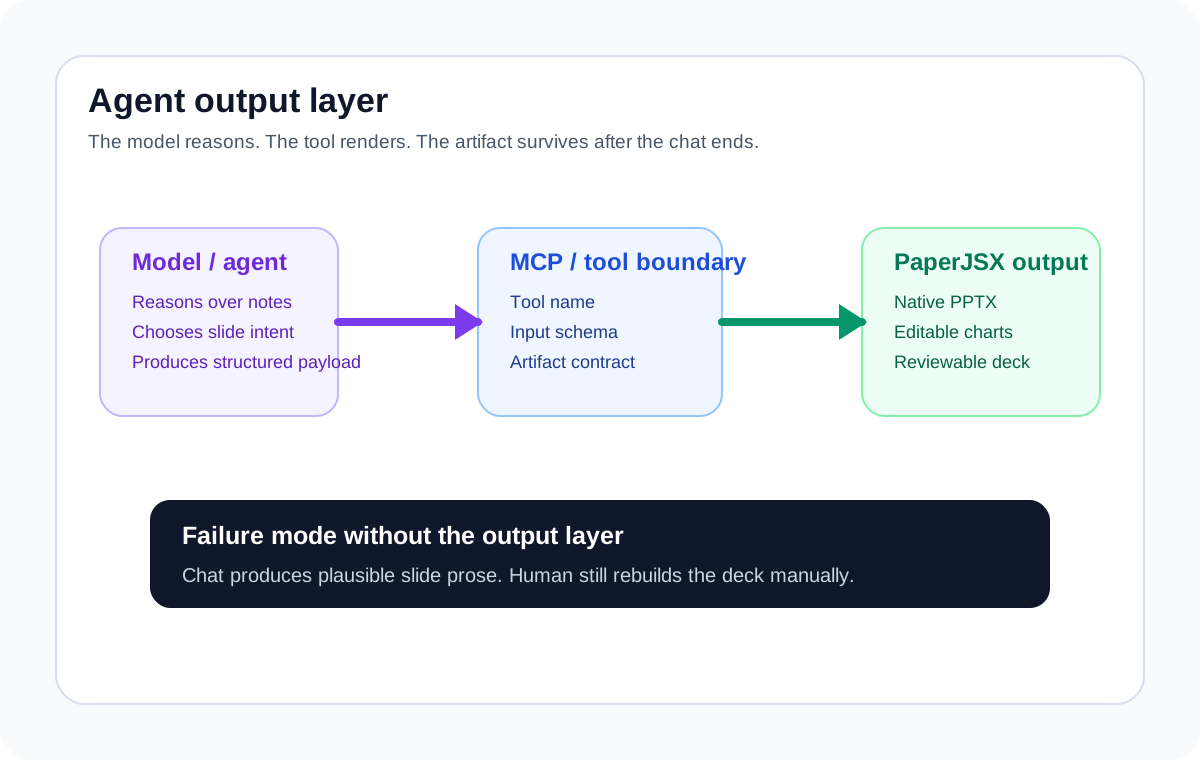
This is the point of the setup. The model is not replacing the render layer. It is gaining a reliable way to call one.
The basic setup shape
Most MCP clients need the same three ingredients:
- a server entry in the MCP client configuration
- a PaperJSX credential or runtime secret
- a prompt that asks for a small, structured presentation task
The exact config varies by client, but the workflow does not.
A representative configuration
Use the client-specific instructions from your PaperJSX runtime, but the shape usually looks like this:
{
  "mcpServers": {
    "paperjsx": {
      "command": "npx",
      "args": ["-y", "@paperjsx/mcp-server"],
      "env": {
        "PAPERJSX_API_KEY": "pj_live_your_key_here"
      }
    }
  }
}
If you are using a hosted path, the API key is the important part. If you are evaluating the broader product before wiring a client, request access at /get-key.
What to test first
Do not start with "make me a beautiful investor deck." Start with something inspectable:
- create a five-slide board update from these notes
- turn this memo into an editable presentation
- draft a customer review deck with one chart slide
The point of the first run is to verify that the model can use the tool boundary consistently, not to judge design taste.
What a good first result looks like
A good first result is boring in the best possible way:
- the model chooses a reasonable structure
- the tool call succeeds without handholding
- the output is a native PowerPoint file
- the deck stays editable after opening
That is much more valuable than a flashy demo that collapses the moment someone needs to revise a slide.
What usually breaks
The common failure modes are:
- asking the model to improvise the schema instead of using the tool contract
- starting with too much deck complexity
- mixing prompt experimentation with render debugging
- assuming a good chat response means the PPTX path is healthy
Keep the first evaluation narrow enough that you can tell whether the problem is in the prompt, the payload, or the tool connection.
Claude and Cursor are different entry points, not different architectures
Claude Desktop, Cursor, and similar MCP-capable clients all benefit from the same separation:
- the model handles reasoning
- the tool handles presentation output
That is why this page pairs naturally with Model Context Protocol Explained and Why AI Agents Need Editable Slides, Not PDFs.
What to do after the first tool call works
Once the first deck is reliable:
- tighten the prompt around a repeatable business task
- standardize the payload shape
- move the same request into a production workflow where needed
At that point you are no longer demoing MCP. You are operating a real output layer for agent-generated presentations.
Try PaperJSX
Generate your first editable deck from structured JSON.